Unit 03 | Lesson
The Music Video
One song, filmed again and again, then cut to the beat. The first time you edit footage you shot yourselves.
HORIZONTAL ONLY
Every clip. Turn the phone or camera sideways, so the frame is wider than it is tall. Vertical video scores 0 for format.
3
weeks: plan, film, edit
A music video is never filmed in one go. Playback plays the song out loud, the rockstar lip-syncs, and the same section is filmed many times: a different singer, a different angle, a different move. In the edit, the original song is the only sound.
The crew
Everyone has a job on every take. Swap roles every few takes.
Rockstar
Lip-syncs the whole section, every take. Big and committed.
Camera operator
Frames the shot and runs the move. Records before the song starts, stops after it ends.
Bounce card
Throws light back onto the rockstar's face and follows them when the shot moves.
Playback
Plays the song from the same spot every take, and claps once on camera first.
Step 01 in Assignment 05
Plan the shoot
Week 6. In writing, with sketches.
Pick one song and a 45 to 60 second section. Clean version only, and I approve every song. Write where each part is filmed, which camera move, and who takes which role.
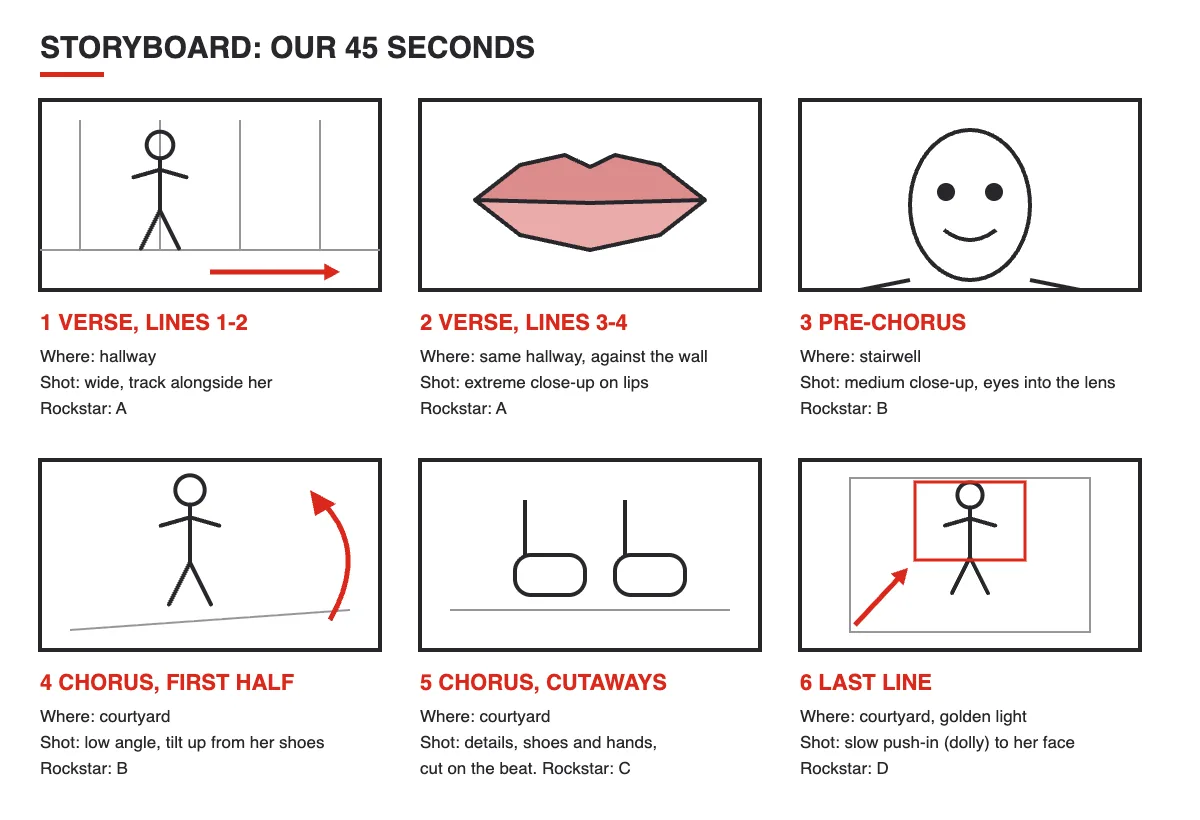
One box for each part of the section. Under each box: the part of the song, where you film it, the shot and the move, and who the rockstar is. Stick figures are fine.
Technique rule
Keep it realistic. Everything in the plan has to be filmed in one class period.
Step 02 in Assignment 05
Get the audio file
Before Week 8.
Streaming the song out loud is fine for filming. For editing, your group needs the song as an MP3 or M4A in your folder. Can't get it? Send me the title and artist by the end of Week 7, Tuesday and I will download it for you.
Step 03 in Assignment 05
Film the same section again and again
Week 7, Tuesday. Full takes only.
Bring your camera, a charged battery, an empty card and your written plan. Playback starts the song from the same spot every time, and the rockstar lip-syncs the whole section, start to finish.
Technique rule
Half takes leave holes in the edit. Full takes let you cut between them anywhere.
Step 04 in Assignment 05
Change something on every take
Camera moves and shot ideas.
A move is motivated when it follows the action: they walk, you track with them. Use at least three of these.
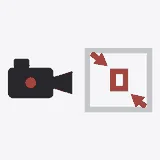
Zoom
The lens moves closer or further. Snap in on the beat for punch.
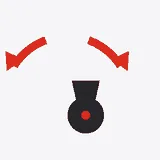
Pan
The camera turns left or right. Reveal a second rockstar.
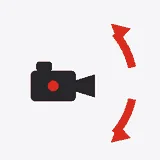
Tilt
The camera tips up or down. Shoes up to the face as the line starts.
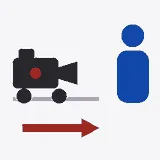
Dolly
The whole camera moves in or out. A slow push in during the chorus.
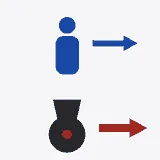
Track
The camera moves alongside them. Walk next to them down a hallway.
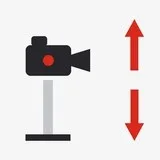
Ped
The camera rises or lowers. Rise up from behind a railing.
Shot ideas
Pick the ones that fit your song and put them in your plan.
Lips close-up
Fill the frame with their mouth. This sells the lip-sync.
The performance wide
The whole body, camera still. Your safety take.
Low-angle hero
The camera looks up. They look big and in charge.
Through something
A doorway, a railing, leaves. A frame inside the frame.
Reflection or silhouette
A mirror, a window, or a bright sky behind them.
Detail cutaways
Hands, shoes, a hair flip, a prop. Cut to them on the beat.
Two rockstars, one line
One starts the line, the other finishes it.
The walk-and-sing
The camera tracks in front of them or alongside.
The whip pan
A fast pan at the end of one take and the start of the next. Cut in the blur.
Technique rule
A shaky camera move looks like a mistake. Move slowly and smoothly, and repeat it if it wobbles.
Step 05 in Assignment 05
Song first, then picture
Week 8, Tuesday, then at home.
Put the original song on the iMovie timeline first. Mute every clip, then line each take up with the song using the clap and the lips.
Must do
Nothing the camera records ends up in the video. Mute every clip.
Step 06 in Assignment 05
Cut on the beat, together
The whole group decides every cut.
Change who is at the keyboard every 10 minutes. Every member should be able to explain why a cut is where it is.
Technique rule
Lips that do not match the words break the illusion. Check the sync after every cut.
Step 07 in Assignment 05
Experiment with color and effects
Week 8, before you export.
Try filters, black and white, color, slow motion and speed changes. Then pick one look and keep it across the whole video.
Step 08 in Assignment 05
Export and hand in
1080p, the same file for everyone.
Export at 1080p. Every member of the group submits the same file to Assignment 05, and the written shoot plan comes to me at the end of the planning class.
Before you leave today
Agree on your song and your 45 to 60 second section, and sketch the first three boxes.