PhotoClass
MissionWeek 9100 points · Weekly Missions
Freeze a classmate in mid-air with a fast shutter speed. One photo. ​​​​​​​​​​​​​​​​​​​​​​​​​​​​​​​​​​​​​​​​​​​​​​​​​​​​​​​​​​​​​​​​​​​​​​​​​​​​​​​​​​​​​​​​​​​​​​​​​​​​​​​​​​​​​​​​​​​​​​​​​​​​​​​​​​​​​​​​​​​​​​​​​​​​​​​​​​​​​​​​​​​​​​​​​​​​​​​​​​​​​​​​​​​​​​​​​​​​​​​​​​​​​​​​​​​​​​​​​​​​​​​​​​​​​​​​​​​​​​​​​​​​​​​​​​​​​​​​​​​​

Weekly Photo MissionsWeekly Mission
Weekly Mission 04  |  Week 9

Freeze It

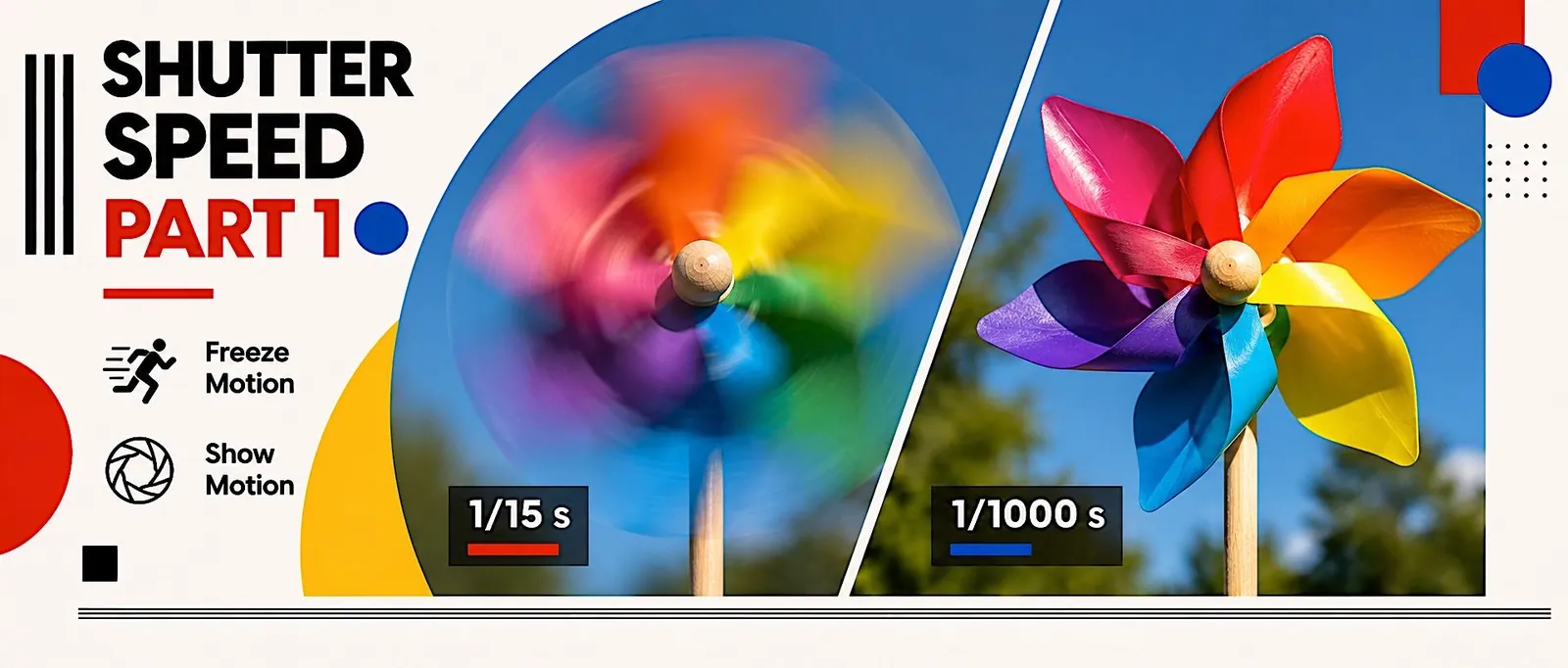
Freeze a classmate in mid-air: a jump, a toss or a spin, sharp from head to toe.

How it runs
Given and shot on campus in class on Tuesday. Edited and handed in on Wednesday, due 9:00 pm. Shown on the screen next Wednesday.
1
photo
1/1000 s
or faster, Tv mode
JPG
edited in Lightroom

What to do

01
Set the camera
Mode dial to Tv, 1/1000 s or faster, ISO on Auto. Work in the sun.
02
Shoot the peak
Your classmate jumps or tosses something. Hold the shutter down for a burst at the top of the move.
Watch out:  Soft edges on hands or hair. Go faster, or move into brighter light.
03
Edit it lightly on Wednesday
Light, then Color, in Lightroom. Export one JPG and write your shutter speed in the comment box.
The one rule
Your own photo, shot this week on campus. No groups, no copying.
Turn it in
One JPG with your shutter speed in the comment, uploaded here by Week 9, Wednesday, 9:00 pm.
See how it’s graded3 parts

Handed in

On time, one full-size photo

30Exceeds: On time, one full-size JPEG.
25Meets: On time, but small or the wrong file type.
20Approaching: Late.
0Not meeting: Not handed in.

Follows the brief

Answers this week’s mission on purpose

40Exceeds: Answers the mission clearly and on purpose.
34Meets: Answers the mission, but loosely.
28Approaching: Hard to see the mission in it.
0Not meeting: Does not answer the mission.

Shot with care

Sharp, well exposed, clean frame

30Exceeds: Sharp, well exposed, nothing distracting in the frame.
25Meets: One small slip in focus, light or clutter.
20Approaching: Several slips.
0Not meeting: Careless or unusable.
Turn in your work hereDrag your files in, or tap to choose them. Sign in with your class account to turn in your work.